





Skip to content

OCTOBER FLASH SALE: Get 50% OFF your server until October 17 !

2026 New manager

Your whole server, on one screen

We rebuilt the manager so you spend less time looking after your server and more time playing on it. Everything happens in your browser, with no terminal and no software to install.

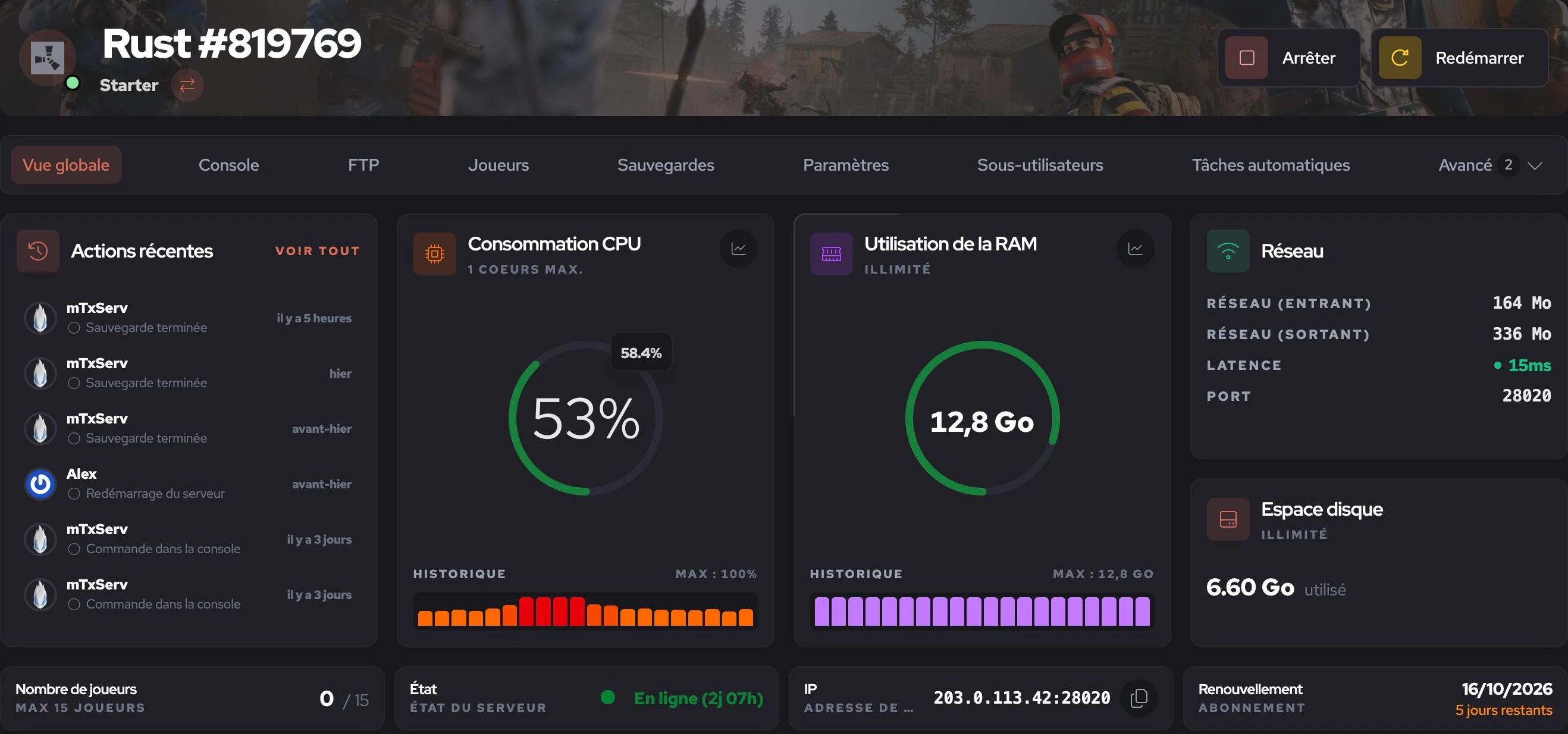
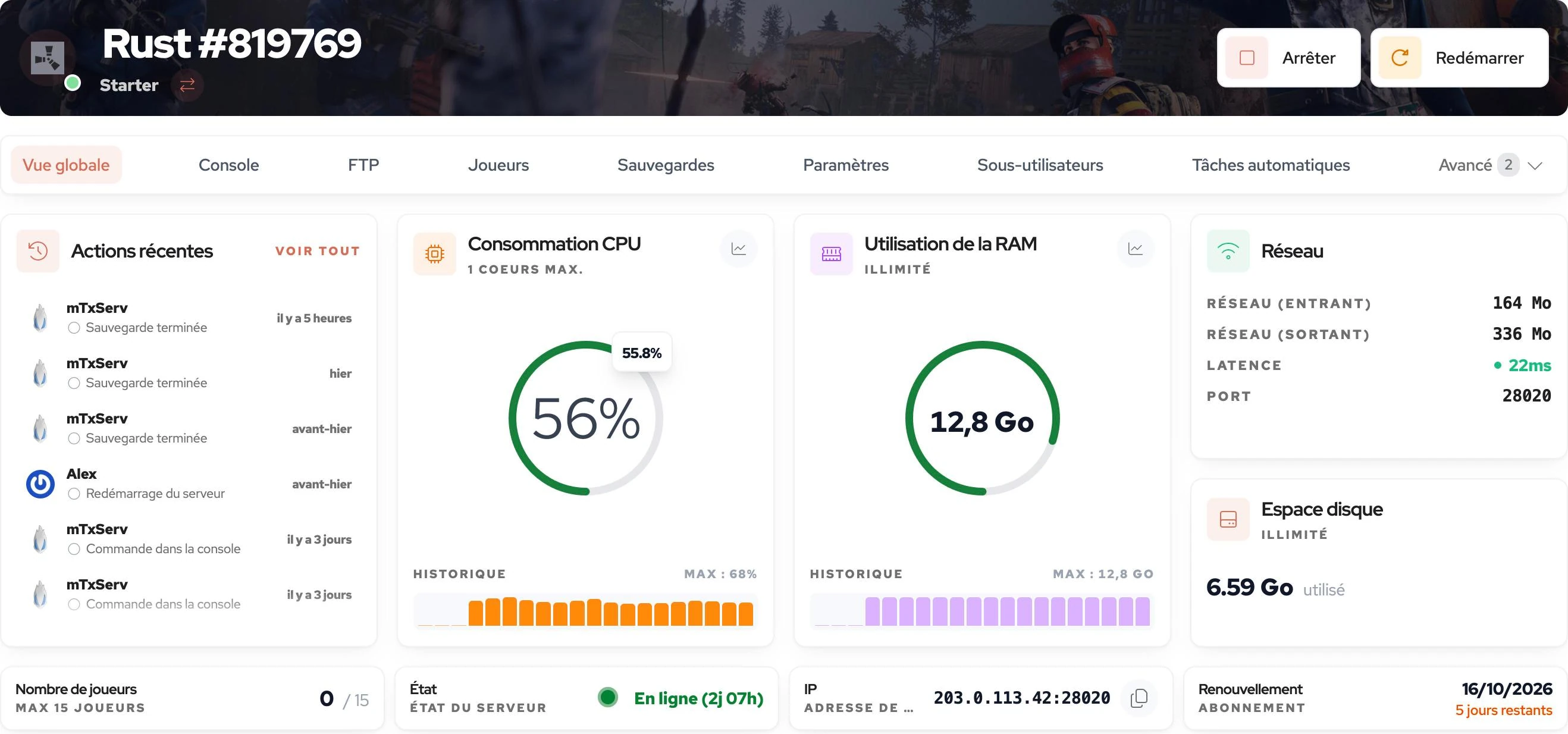
Overview of a Rust server in the mTxServ manager
  1. 1 You stop or restart your server without leaving the page.
  2. 2 You know who did what on the server, and when.
  3. 3 You follow CPU and RAM live, with their history.
  4. 4 You copy the address in one click to share it with your players.

Real capture of a Rust server in production. Only the IP address and player names were masked.

What we do differently

What you will not find everywhere

Everything below is included in your plan. There is no paid add-on to tick.

  • Instant plan switch

    If your server runs short of RAM on launch night, you switch plans from the manager and the new plan applies immediately.

  • Backups outside your quota

    Your backups take no room on your server's storage. You can also lock the ones that matter so they are never replaced.

  • Discord bot

    Our bot shows your server's status right on your Discord. Your community sees the player count, RAM and CPU in real time.

  • Free web and MySQL

    A web hosting plan and a MySQL database come with your game server. Use them for your plugins or for your community's website.

  • Log analysis

    When something goes wrong, one click on "Analyse" combs through your logs and helps you find where the problem comes from.

  • A 3D map, zero impact

    On Minecraft, the Bluemap 3D map is rendered on a separate machine, so it takes nothing from your server's performance.

The tour

What you can do, screen by screen

Every capture on this page comes from a real mTxServ server. There are no mock-ups.

01Console

The console, live

Your server's logs appear as they happen, coloured by importance. You type commands as if you were logged into the machine.

  • You can search through the logs.
  • You share your logs with a simple link, which is handy for support.
  • The console scrolls on its own and goes full screen.
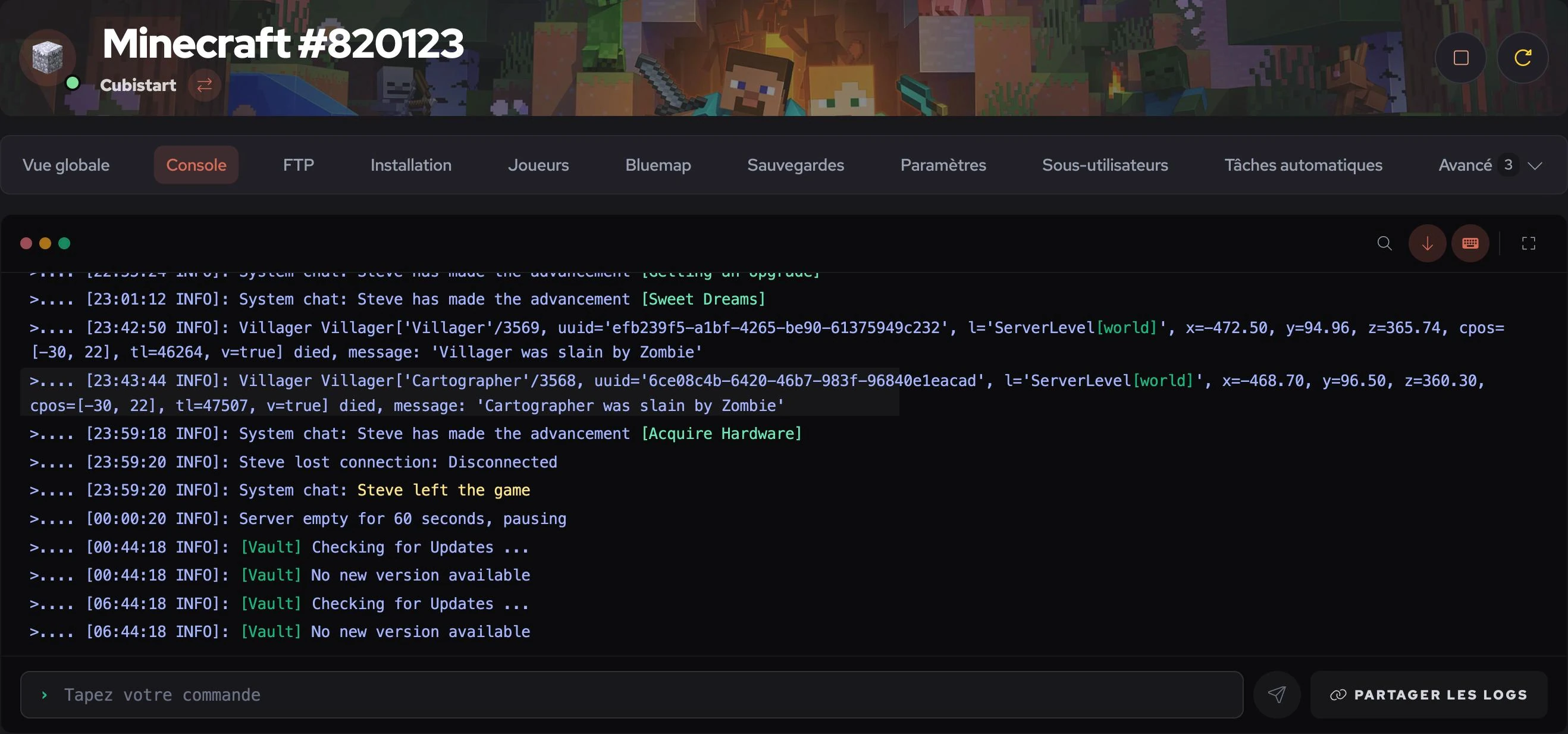
Live console of a Minecraft server

02Files

Your files, no FTP client needed

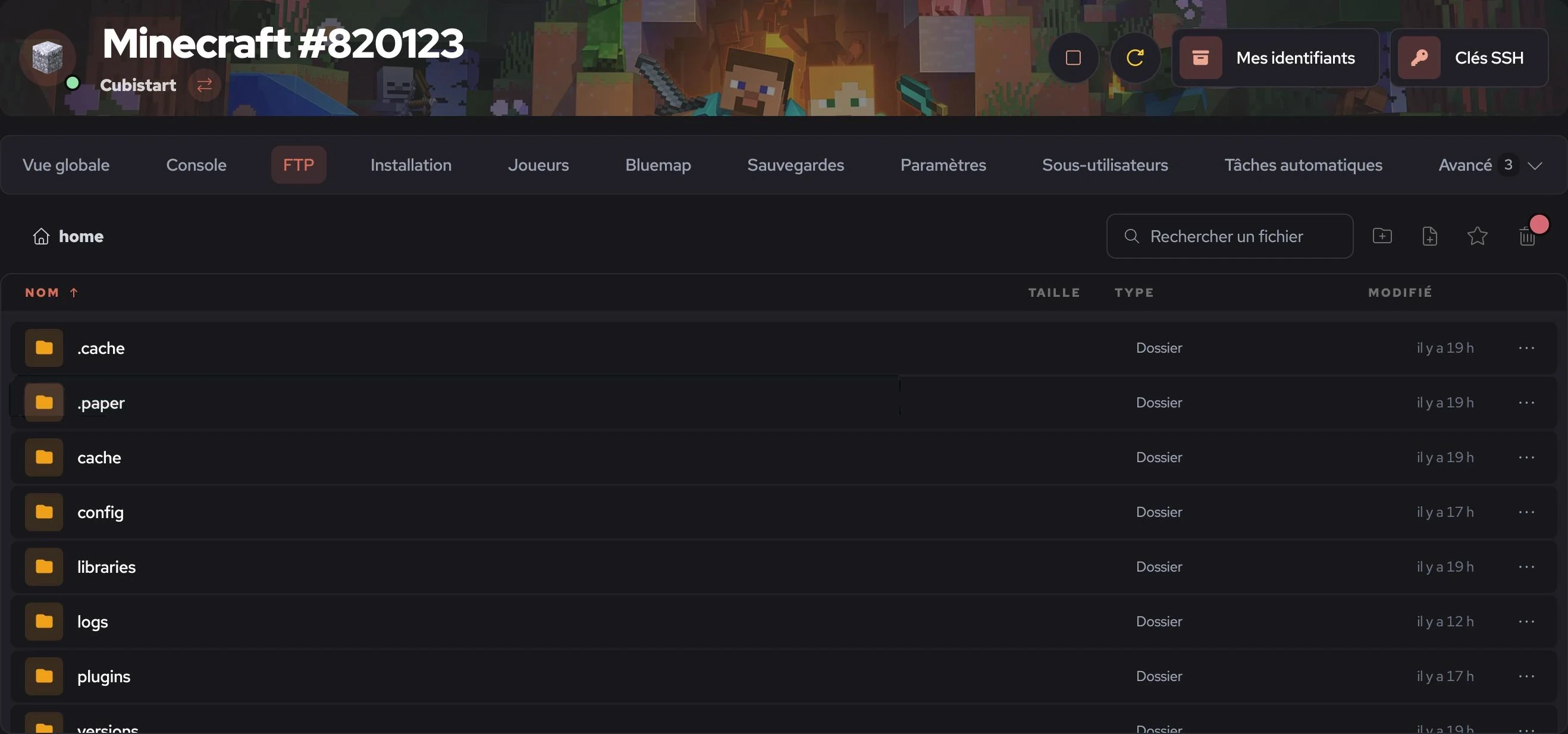
Your server's whole file tree opens in your browser. You can browse it, search for a file and edit it directly.

  • You find files with search and keep favourite folders.
  • A recycle bin lets you undo a deletion.
  • If you prefer a real client, your SFTP credentials and SSH keys are right there.
The manager file browser

03Install

A version or a mod in one click

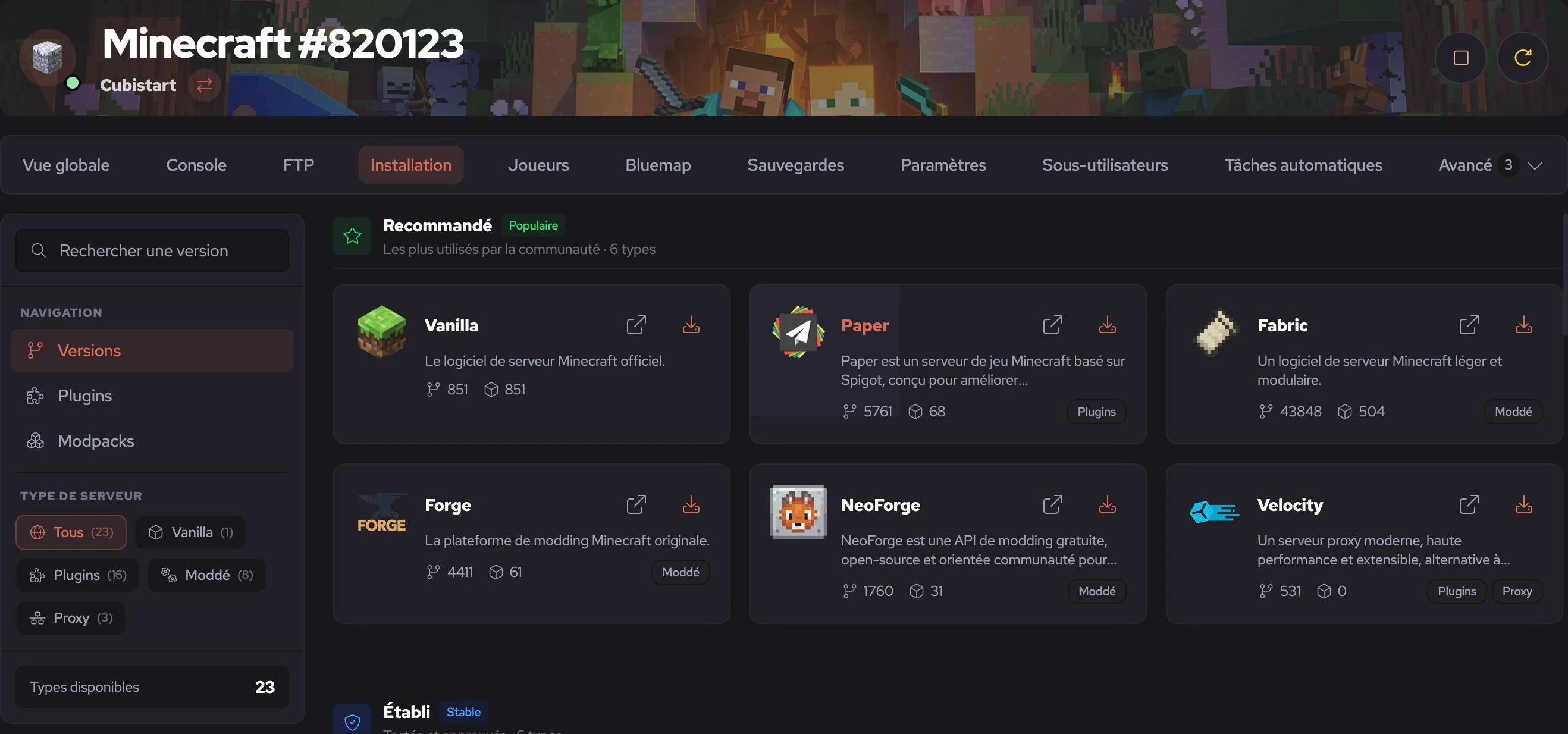
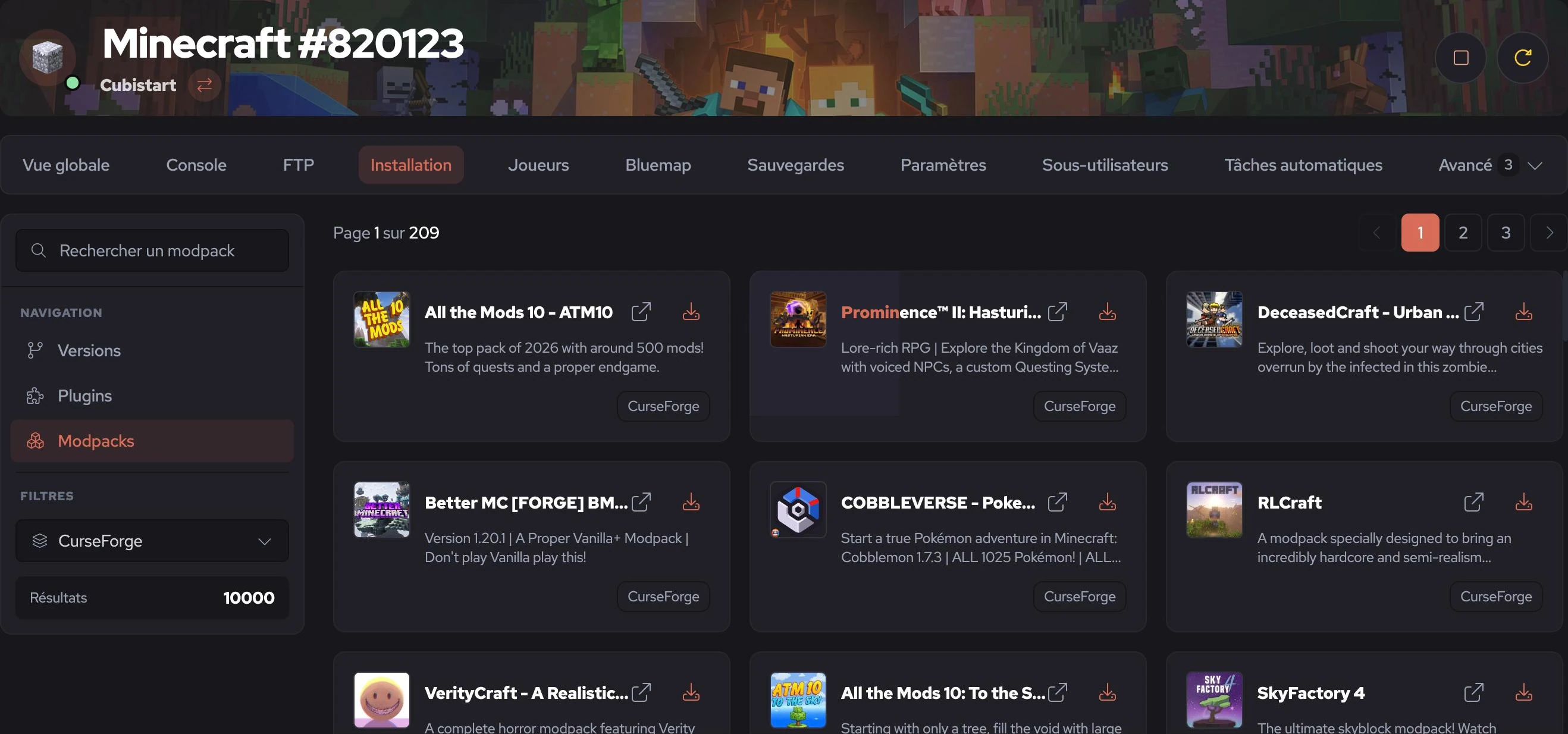
On the games that support it, you pick the version, mod framework or modpack your server should run. The manager installs everything for you.

  • Game versions are sorted by use so you quickly find the right one.
  • You install plugins and modpacks straight from the catalogue.
  • Each project shows how many versions and downloads it has.
Choosing the server version in the manager
CurseForge modpack catalogue

04Backups

Backups that cost you nothing

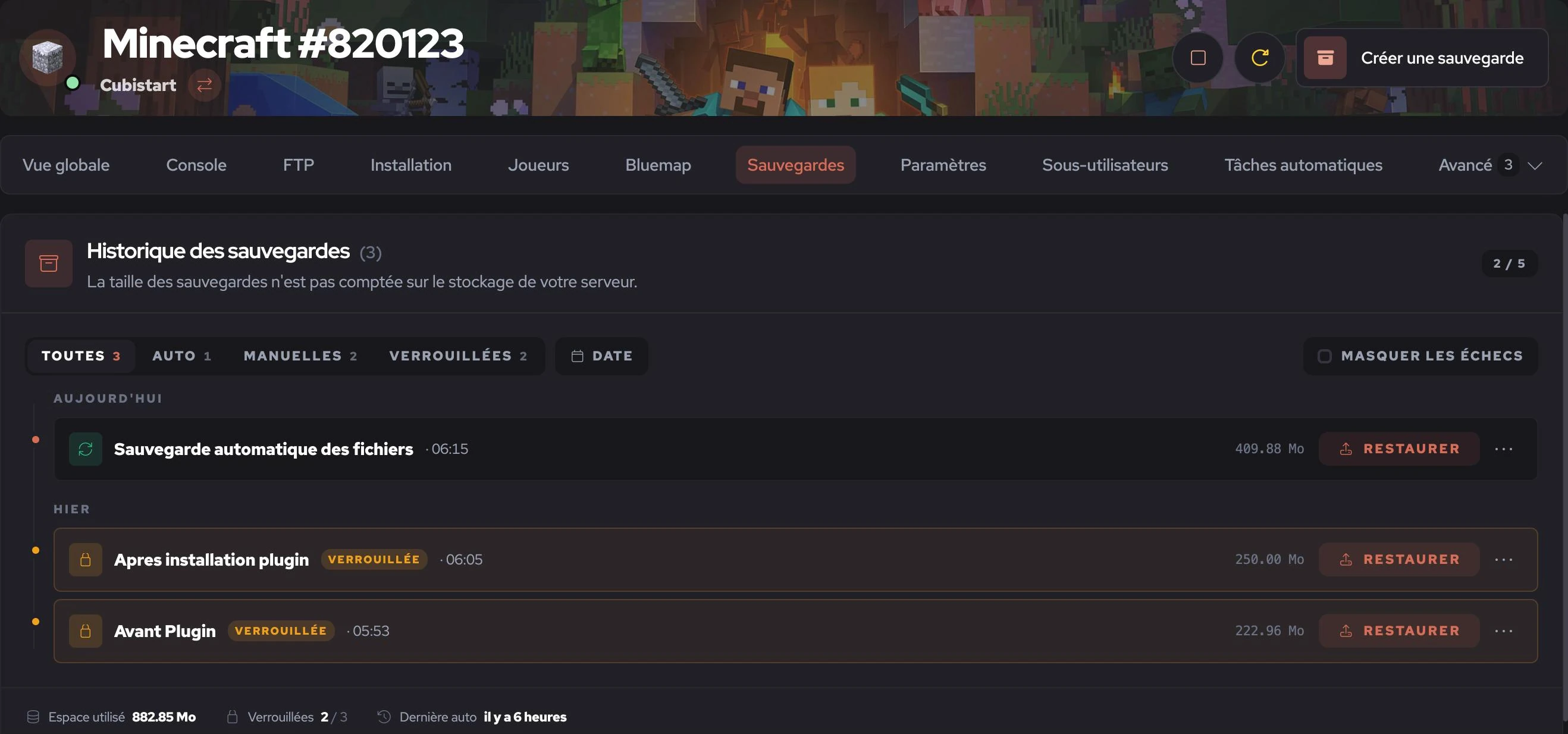
Your backups, automatic or made by hand, are sorted by date. Their size is not taken from your server's storage.

  • You can lock a backup so it is never replaced.
  • You restore a backup in one click, straight from the list.
  • Filters help you find a backup by type or by date.
Backup history

05Statistics

See trouble coming

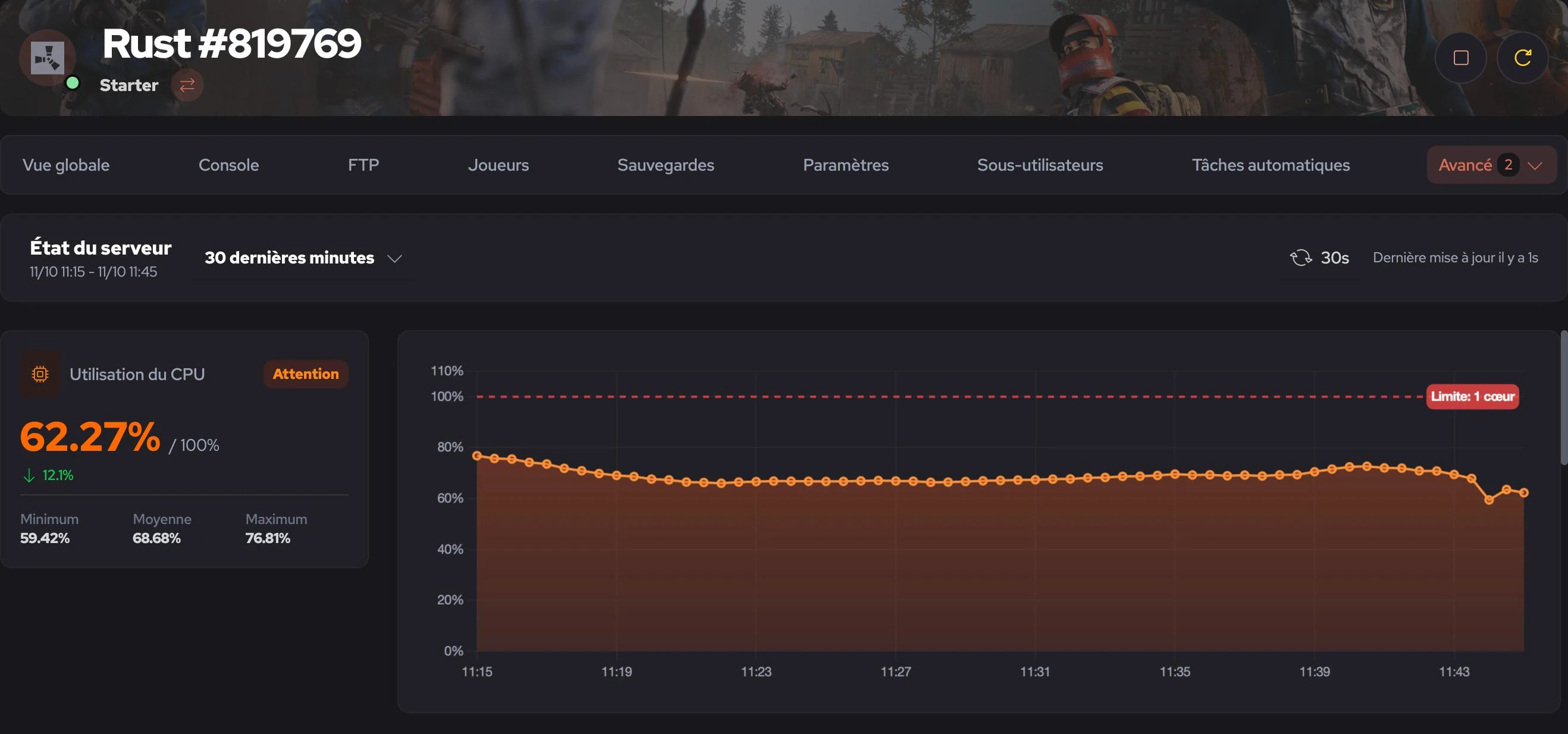
CPU and RAM are sampled every 30 seconds and compared with your plan's limit. If your server starts to saturate, you see it before your players do.

  • You see the minimum, average and maximum over the period you choose.
  • Your plan's limit is drawn right on the chart.
  • A status tells you plainly whether all is well or worth watching.
CPU statistics of a Rust server

06Scheduled tasks

A server that looks after itself

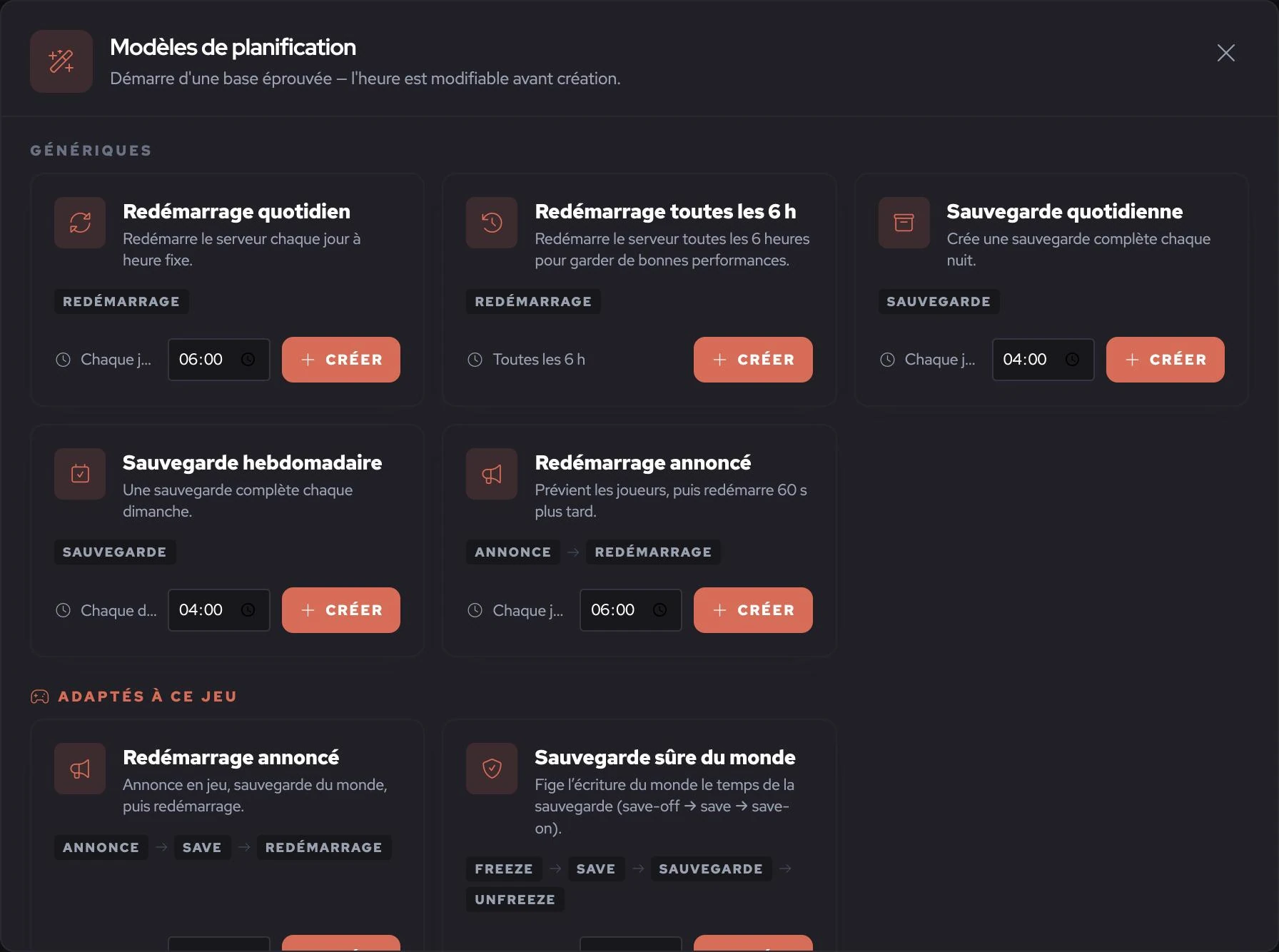
You schedule restarts, backups and announcements from ready-made templates. All you have to do is pick the time.

  • You can restart your server every day or every 6 hours.
  • With an announced restart, your players are warned before it happens.
  • Some templates are specific to your game, like a safe world save.
Scheduled task templates

07Settings

Every setting, findable

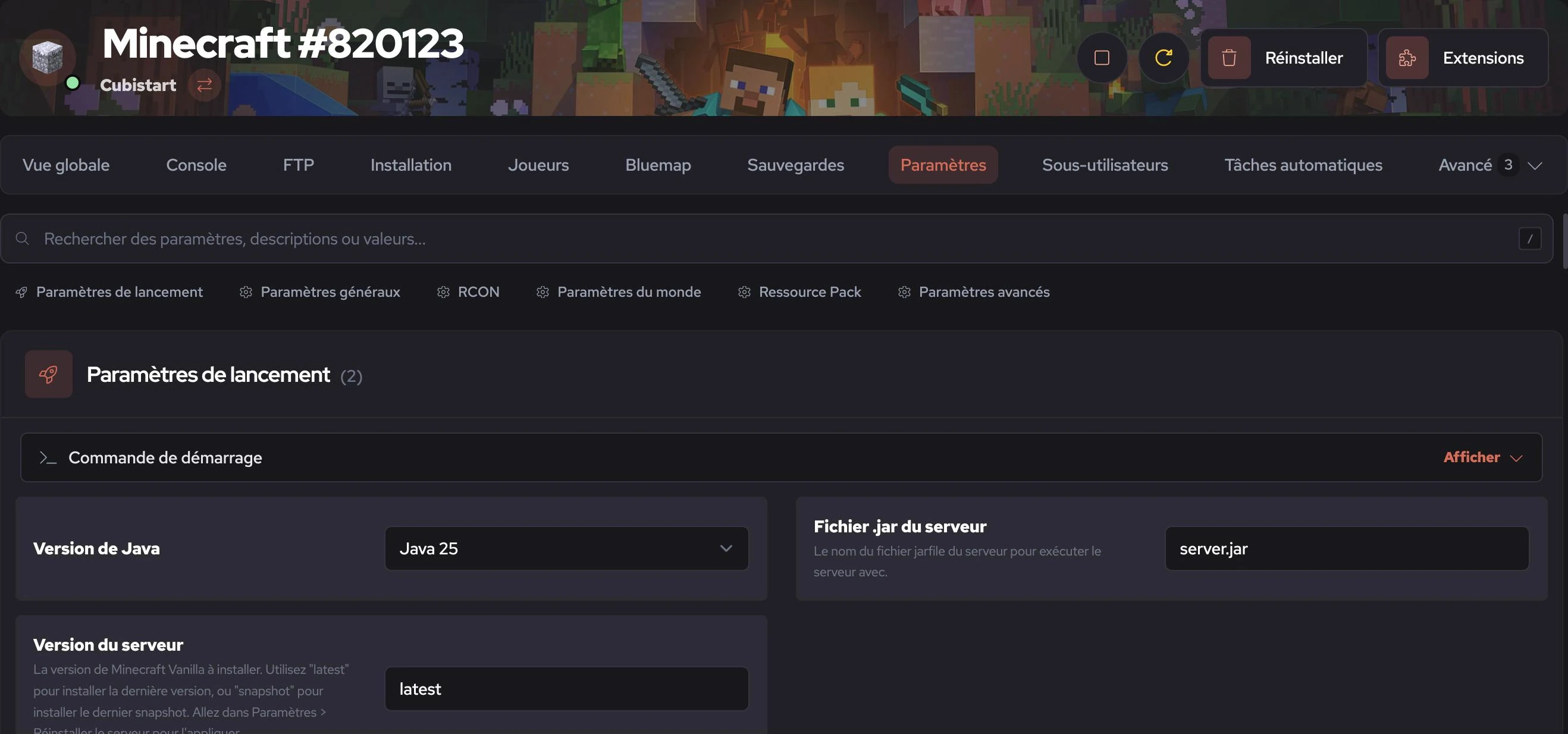
Your game's settings are grouped by theme and you can search them like a search engine. You no longer need to open a config file.

  • Search covers names, descriptions and values.
  • Settings range from startup options to advanced ones.
  • Every setting comes with an explanation.
Server settings
19 games

One manager for all your games

Whether you host Minecraft, Rust, ARK or FiveM, you get the same manager. If a game is missing, tell us on Discord.

And everything else

  • Players

    You manage your admins, whitelist and bans, by name or by IP, even for offline players.

  • Sub-users

    You give your team access without ever sharing your password.

  • 3D map (Minecraft)

    Bluemap renders a 3D map of your worlds on a separate machine, without taking anything from your server.

  • Databases

    You create the databases your plugins need right from the manager.

  • Activity log

    Every action is recorded, whether it is a restart, a command or a backup.

  • Light or dark

    The manager follows your preference. Your eyes will thank you at 3 a.m.

The new manager comes with every server

There is no box to tick and no extra fee. Order your server and the manager is waiting for you.